Need help?
Support Centre
MyKNX Store
 ETS Software
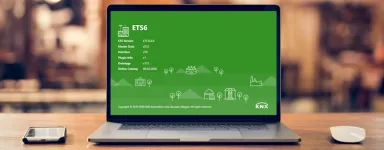
Download ETS to design, commission and manage KNX projects. Start with a free trial or choose a license.
ETS Software
Download ETS to design, commission and manage KNX projects. Start with a free trial or choose a license.
 ETS Apps
 extend your ETS workflow with focused tools for documentation, commissioning, diagnostics, and more. Visit our store and browse and browse our available ETS Apps.
ETS Apps
ETS Apps extend your ETS workflow with focused tools for documentation, commissioning, diagnostics, and more. Visit our store and browse and browse our available ETS Apps.
Image
Image
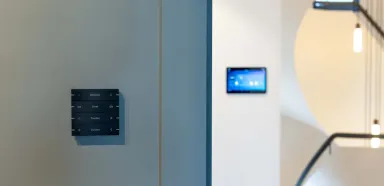






KNX Virtual: Explore ETS in a risk-free, digital environment
Practice ETS and explore the KNX interface without required hardware. The simulator ‘KNX Virtual’ gives you a complete, software‑only training board on your PC, so you can design, configure and test a working KNX project safely.

Inside KNX Virtual
Trial and error in a simulation of a real-life KNX installation
KNX Virtual is a PC‑based simulator that behaves like a real KNX installation. You’ll use the software ETS to add devices, set parameters, create group addresses and commission, then see the results instantly in a virtual home with switches, dimmers, blinds, HVAC and scenes.
The simulator is ideal for beginners: safe, repeatable and fast to iterate. Build muscle memory without the cost or complexity of a physical installation, learn how systems work together and transfer those skills directly to real devices when you’re ready.
Trainers and teams also use KNX Virtual to demo functions live, test lesson plans and standardise workflows across staff.
Download KNX Virtual for free and start practicing
Download KNX Virtual
eCampus
Start learning for free with eCampus
eCampus is the easiest way to learn the fundamentals of KNX, before joining a physical training course. It’s completely free and online, specially designed to fit around your schedule.
Visit the eCampus
FAQs
Who is KNX Virtual intended for?
It is ideal for beginners, students, and professionals who want to explore KNX and practice ETS configuration in a simple and risk-free environment.
Is KNX Virtual free?
Yes. KNX KNX Virtual is completely free of charge. You only need to register for a MyKNX account to download it.
What do I need to use KNX Virtual?
You only need a Windows computer and a demo version of ETS. Once installed, KNX Virtual behaves like a real KNX installation on your PC.
Can I use ETS with KNX Virtual?
Yes. You can connect ETS to KNX Virtual exactly as you would to a real KNX installation, allowing you to practise configuration, downloading, group addressing, and project structure. You can practise setting up typical KNX functions such as lighting control, dimming, switching, blinds control, scenes, and simple HVAC tasks — all without real devices.
5. Can KNX Virtual be used offline?
Yes. Once installed, you can use it entirely offline.